How to upcoming transactions report ?
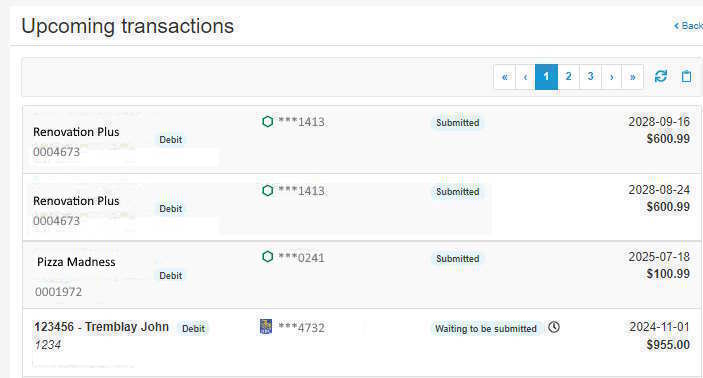
Upcoming transactions are those which have not yet been sent to the financial institution.
To view the upcoming transactions report, proceed as follows:
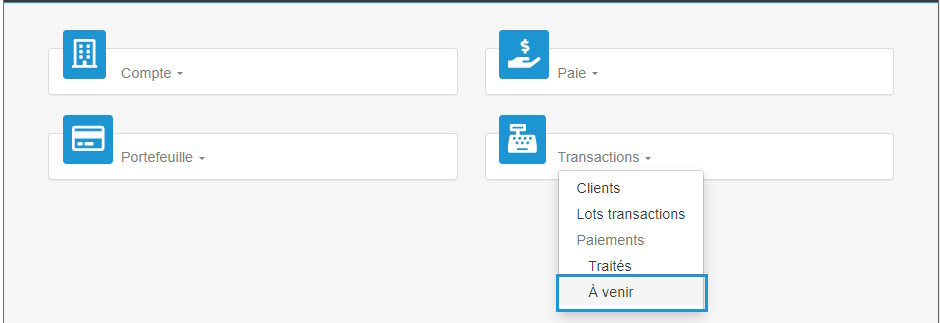
- Access the ACCEO Transphere homepage.
- Click Transactions and select Upcoming. The list displays the transactions which are submitted or are pending submission, but which have not yet been sent to the financial institution. The transactions are displayed by date.
- To refresh the data in the list, click the Refresh
 button.
 - To copy the content from the list to import it into Excel, click the Copy to clipboard button. A message requests confirmation.
- Click OK. A message indicates that the content has been copied successfully.
- Open Excel and copy the content of the Clipboard.
- The upcoming transactions information is copied in the file (number, name, amount, date, etc.). Save the Excel file.
 button.
 button. A message requests confirmation.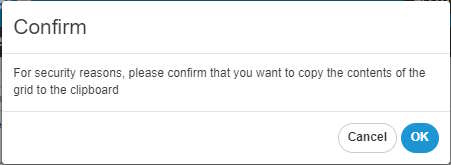

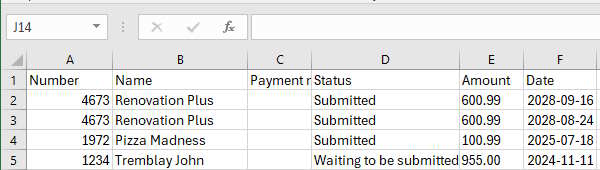
Note: Transactions Waiting to be submitted are not copied in Excel.