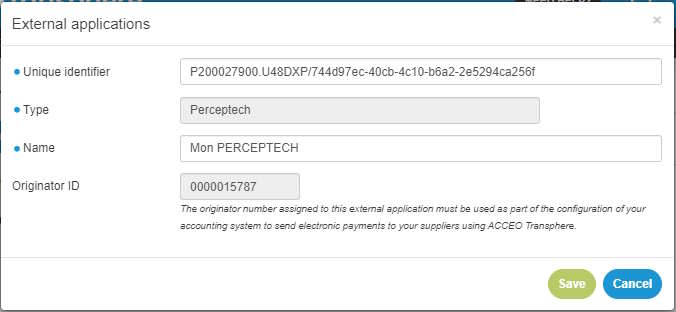
How to consult or edit your organization ?
To consult or edit your organization, proceed as follows:
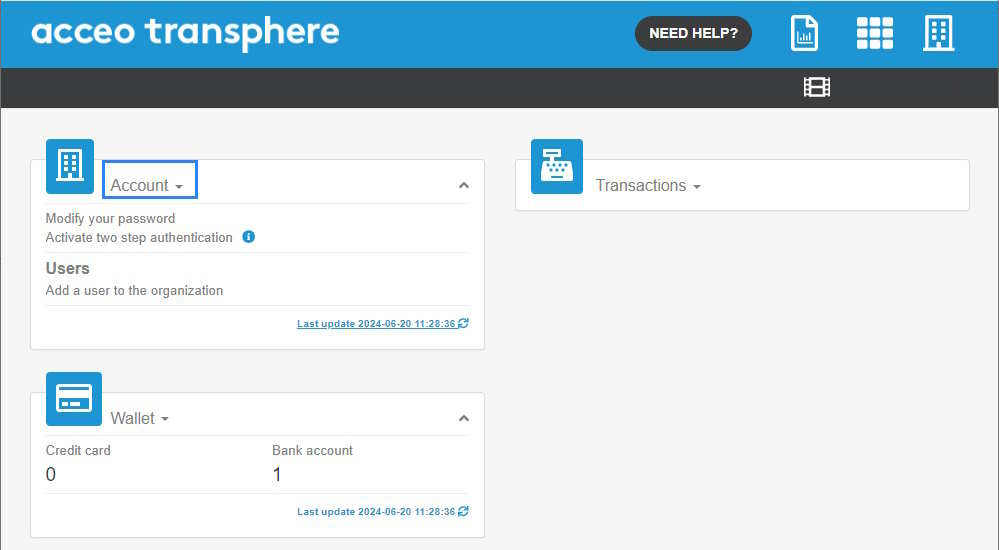
- Access the ACCEO Transphere homepage.
-
Click Account and select My organization. The first section of the My organization page displays the information of the organization to which
the user is affiliated.
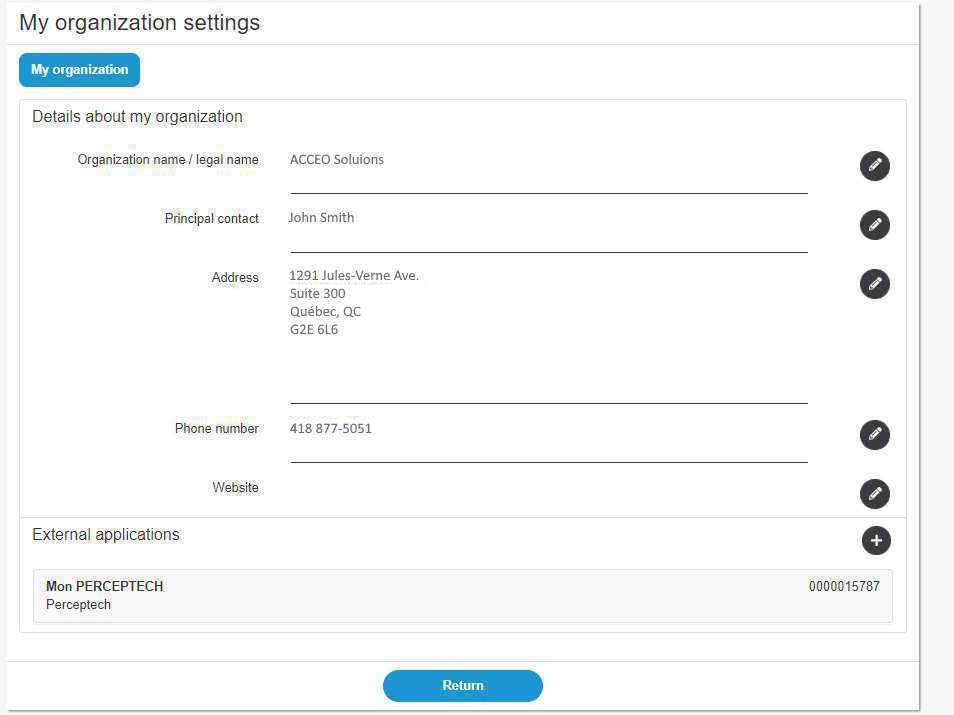
- To edit this section, click the appropriate
 pencil.
 - The External applications section displays the applications related to ACCEO Transphere.
- To add an external application, click the
 button.
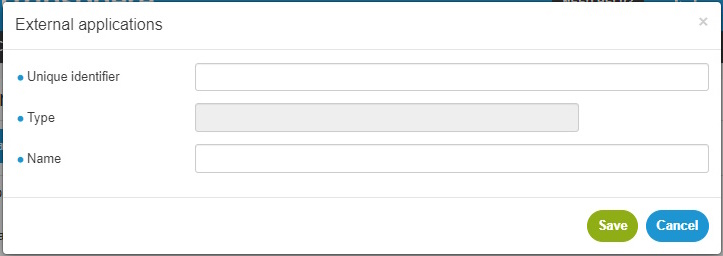
- Enter the unique identifier, the type and name of the application. The unique identifier comes from the external application.
- Save.
-
An organization number is then assigned and must be copied in the account software that will connect with ACCEO Transphere. This number is used to configure the accounting system to send
electronic payments to suppliers via ACCEO Transphere.