How to add a client ?
To add a client, proceed as follows:
- Access the ACCEO Transphere homepage.
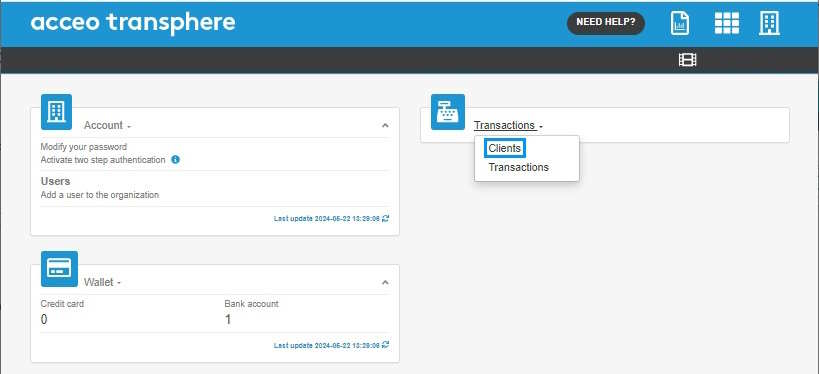
- Click Transactions and select Clients.

- In the Clients page, click Add a client.
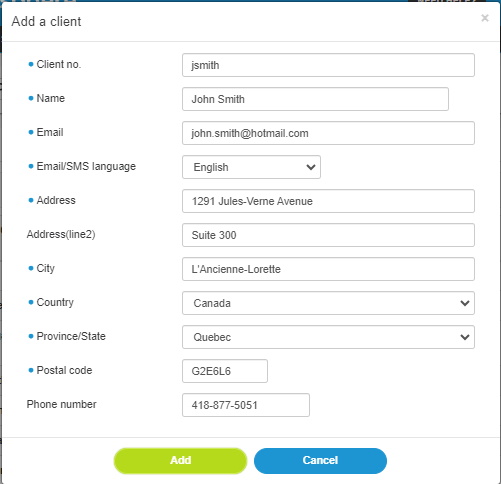
Note: The fields preceded by a blue  dot are mandatory.
- Enter the Client no., their Name and Email
- Select the Email/SMS language to use to communicate with the client.
- Enter their Address and Phone number.
- Click Add to add it to the client list.