
Sent payments
The Sent payments list displays all payments that have been submitted. Advanced search and filter options are available at the upper part of the page.
- The payroll manager can search by file number, employee name, reference number, or amount.
- It is also possible to filter the list by payment status (Accepted or Rejected) or by date (Upload, Submission, Account withdrawal, etc.).
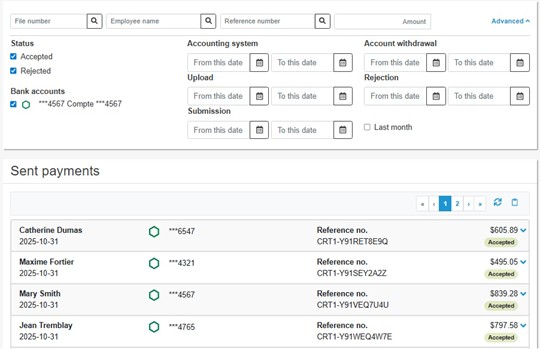
- In the Sent Payments list, each line displays the following information: the employee’s name, the deposit date, the bank account number, the reference number, the payment amount, and the status Accepted or Rejected. If the icon
 is displayed next to the date, this indicates that the deposit date is different from the payment date that was specified.
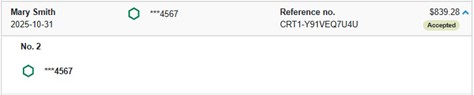
 - To find out which payroll lot this is, click the arrow next to the amount to display the lot number and the bank account from which the amount was withdrawn.
Copy the list of sent payments
The list of sent payments can be copied for import into Excel.
- In the Sent payments section, click the Copy to Clipboard
 button. A message is displayed requesting confirmation.
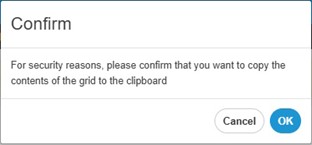
- Click OK. A message indicates that the content has been successfully copied.

- Open Excel and paste the contents of the Clipboard.
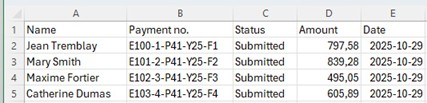
- The payment information is copied into the file (employee name, payment number, transaction status, payment amount and date of payment).
- Save the Excel file.