
Banking files
The files transmitted correspond to the transactions that will appear on the bank statement.
- On the ACCEO Transphere main page, click Payroll and select Banking files.
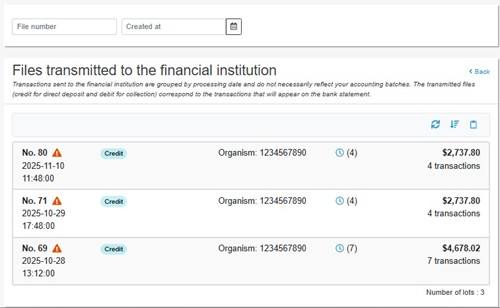
- Each line of a transmitted file displays the following information: the file number, the date and time of transmission, the transaction type (e.g., Credit), the organization number, the amount of the lot, and the number of transactions in the lot.
- The icon
 next to the number of transactions indicates that reception of the file has not been confirmed by the EFT processor.
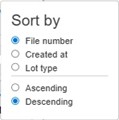
 - The Sort
 button is used to sort the list of transmitted files by file number, creation date, or lot type, in ascending or descending order.
- The Copy to Clipboard
 button is used to copy the contents of the list to the Clipboard and import it into an Excel file.