Banking files
The files transmitted correspond to the transactions that will appear on the bank statement.
- On the ACCEO Transphere main page, click Payroll and select Banking files.
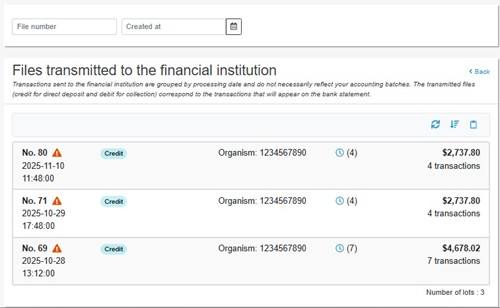
- Each line of a transmitted file displays the following information: the file number, the date and time of transmission, the transaction type (e.g., Credit), the organization number, the amount of the lot, and the number of transactions in the lot.
- The icon
 next to the number of transactions indicates that reception of the file has not been confirmed by the EFT processor.
 - The Sort button is used to sort the list of transmitted files by file number, creation date, or lot type, in ascending or descending order.
 next to the number of transactions indicates that reception of the file has not been confirmed by the EFT processor.
 button is used to sort the list of transmitted files by file number, creation date, or lot type, in ascending or descending order.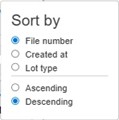
- The Copy to Clipboard button is used to copy the contents of the list to the Clipboard and import it into an Excel file.
 button is used to copy the contents of the list to the Clipboard and import it into an Excel file.