How to end a user’s affiliation ?
To end a user’s affiliation, proceed as follows:
- In the list of users, click the appropriate one to access their file.
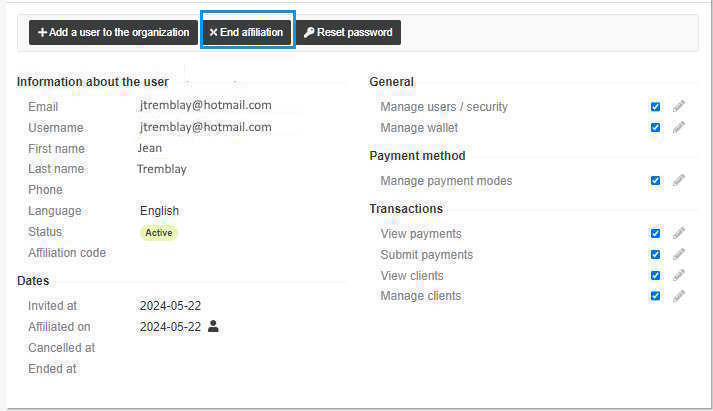
- Click the End affiliation button.
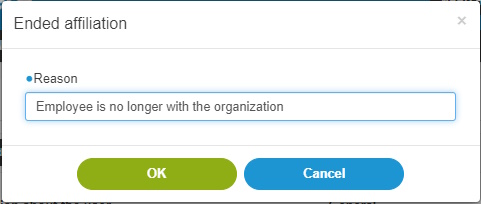
- Enter the reason the affiliation must be ended.
- Click OK. The affiliation between the user and the organization is ended.