How to consult or edit your account ?
To consult or edit your account, proceed as follows:
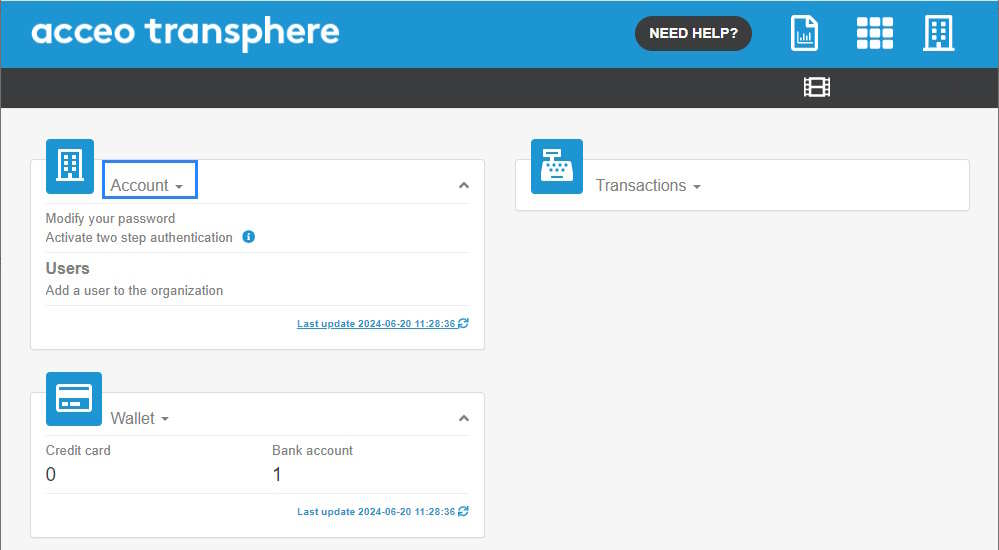
- Access the ACCEO Transphere homepage.
-
Click Account and select My account. The first section of the My account page displays the user’s personal information (name and Email/SMS
language), their affiliations (organization name) and login information (username and password).
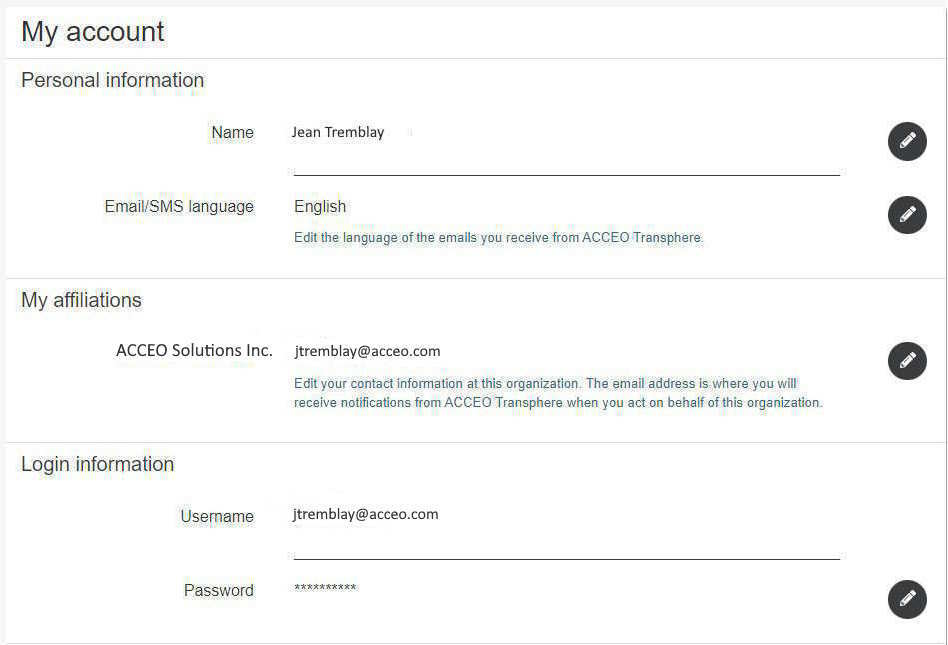
- To edit this section, click the appropriate pencil
 .
. - Once the edit is finished, click the checkmark
 to save.
 - The second section of the My account page displays the security information. This information is used exclusively to recover the forgotten username or password.
 .
. to save.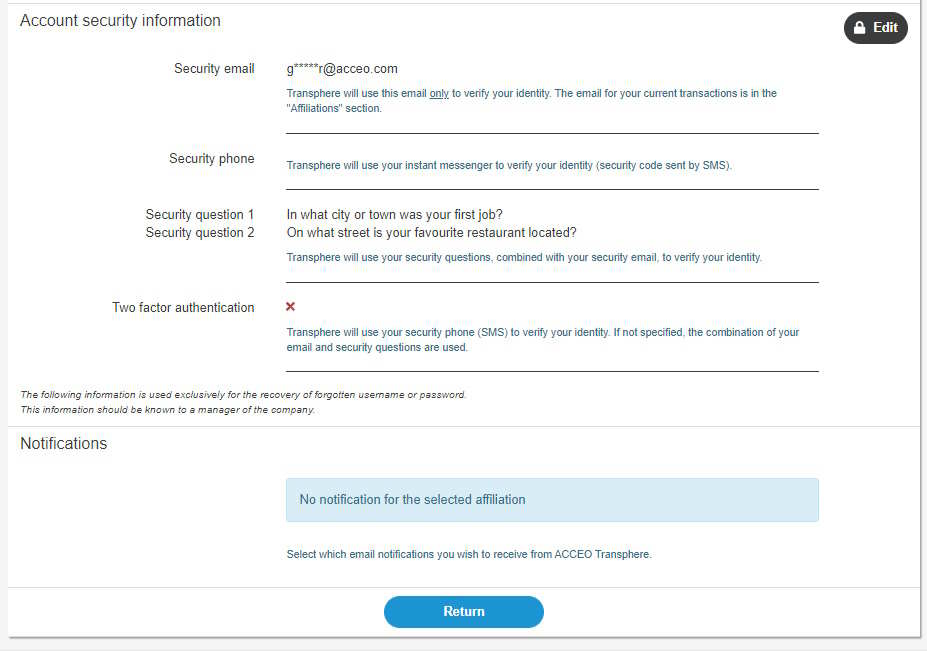
-
To recover your username or password, click Edit. A verification code will be sent by email to verify the person’s identity. The Account
Security Information page is displayed.
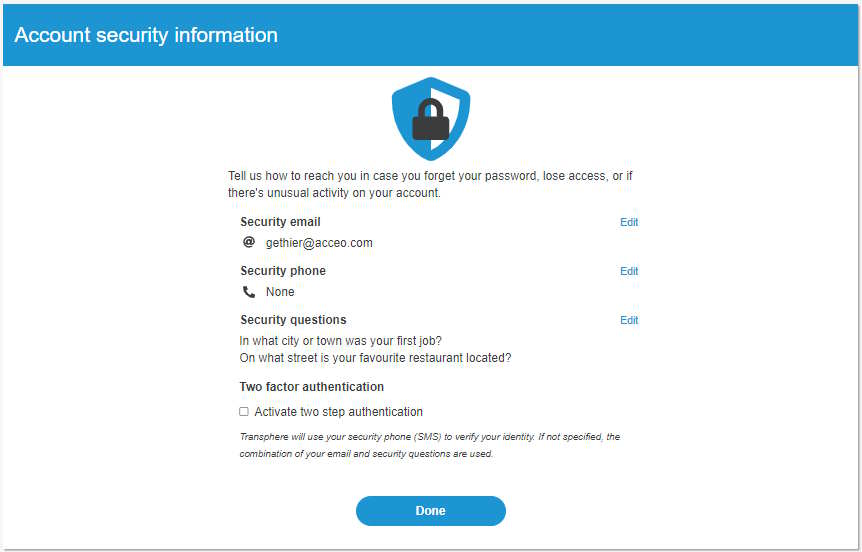
- From this page, the user can modify their security email, security phone, security questions and two factor authentication.
- The Notifications section is used to deactivate notifications sent by default by ACCEO Transphere.