Payroll Module
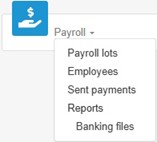
The Payroll module is used to process payroll lots sent from the accounting system, view and modify employee files, and submit or cancel payments.
Access rights – Payroll
Access rights are required to manage payroll. In the user file, under Payroll section, various payroll rights can be granted to the user.
For example, in a company, a user may have the right to view various payroll data without having the right to submit payments. In general, the right to Submit payments is assigned to the payroll manager.
- On the ACCEO Transphere main page, click Account and select Users.
- The list displays users affiliated with the organization. Click the appropriate username.
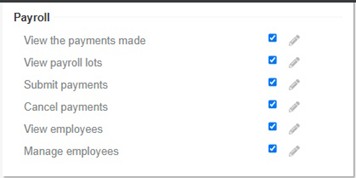
- In the user’s file, Payroll section, check the boxes corresponding to the payroll options that the user is authorized to access.
Bank account – Payroll
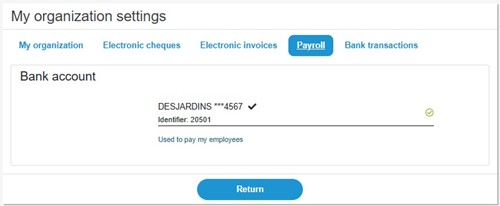
If the company uses a bank account specifically for payroll, the name of the institution, account number, and identifier are indicated in My organization settings, under the Payroll tab.